Editing and Design samples
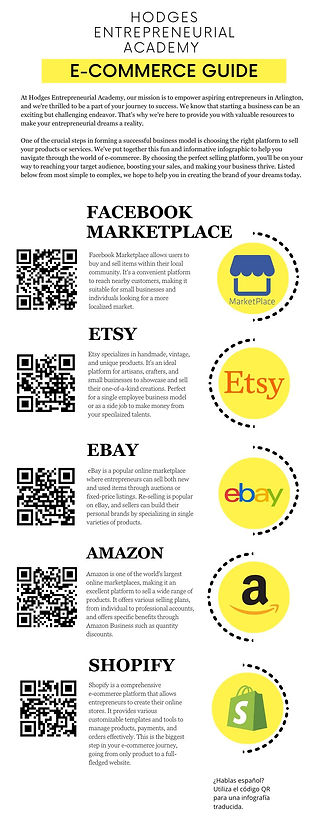
Generative A.I. Sample.
Coming from my Technical Editing course, this project showcased my skills with A.I. generation and adapting that to fit the needs of a job or client, in this case a non-profit trying to help entrepreneurial students find selling platforms. To help them find selling platforms, I used Chat GPT 3.5 to generate a list of platforms along with their specific strengths, designed the handouts in Canva, and translated the form into Spanish with Chat GPT again. As part of the project, I have a justification form to my supervisor which is attached below and goes into more detail about my editing decisions.

Editing Plan Sample
Also from my Technical Editing course, this assignment was to showcase my abilities with copy editing and communicating those changes to a client. Many of the changes I made were to improve understanding and readability of the document for both residents and workers. After receiving feedback from my instructor who took the role of my client, I adapted and improved the work over the span of a few weeks.

Instructional Handout
This project from my introductory Technical Communications course tasked my group with creating an instructional handout with specific guided directions. We covered the process of printing a poster using the university library facilities, unfamiliar to many students. After a trial run and interviewing library staff, we divided the work to emulate a professional workflow. A challenge was designing an effective yet campus-appropriate handout given our limited design knowledge then. The resulting handout successfully guided printing for those with little experience but suffered from poor design. I recently updated it to resemble official campus handouts, reducing the original's stiff language. Overall, I'm pleased with both projects as they showcase my competencies at different stages, with the original highlighting my group work skills.
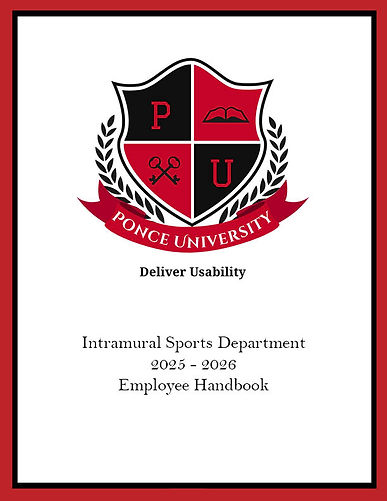
Multi-Page Design Sample Form
This project from my Designing Technical Documents course tested my skills in working with multipage documents, text formatting, and creating a table of contents. It was meant to demonstrate my understanding of design principles learned while using InDesign over the previous months. The client was a fictitious university's intramural sports program requiring a redesigned employee handbook. Drawing inspiration from sports programs, I used typeset, headers, and a thick border reminiscent of "game day" posters in the university's color scheme. While formatting text and the table of contents proved challenging due to my limited InDesign experience, the handbook was completed. However, it appeared too childish for a professional university program. I subsequently redesigned it to exude a more modern, professional energy befitting a yearly iteration. Overall, this project helped refine vital design competencies for working with longer documents in the future.

Multi-Page Design Sample Form
Here's a more concise version:
At MedNetworX, I designed a monthly customer awareness flier template for consumers and companies. The fliers aimed to inform about rapidly changing cyber and information security trends. I used a dual-column design with the company's color scheme, typeface, and transparency filters for a corporate/professional style. The goal was for users to easily digest the information while prompting them to contact MedNetworX for more details. Consistency and standardization were crucial for the monthly releases to maintain a professional and honest industry portrayal. To gauge perception, I showed the flier to friends under the pretense of studying design inspiration. None recognized it as my work, indicating the desired professional appearance was achieved. I designed the flier in Adobe InDesign using an iterative workflow, confirming content with my supervisor before designing. Overall, I accomplished my design goals and received praise from my supervisor.
photoshop


These images were part of my Designing Technical Documents course to showcase my ability in Photoshop, specifically in editing out unwanted portions of a picture. This is most obvious in the second set of images, where I wanted to begin relatively simple by getting rid of a background poster and the badge on my costume. In the first set I removed a number of blemishes from my face and fixed the lighting and color saturation; this way I can show not only am I capable of minor touch ups but also fixing things like overexposure or blown out colors.